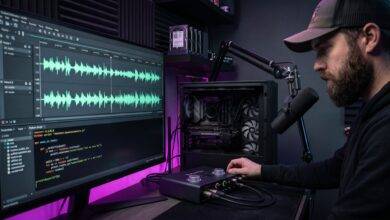
Enterprise audio suites are increasingly moving toward heavy subscription models, cloud processing requirements, and bloated installers that install background licensing daemons. On the flip side, web-based audio tools require uploading heavy files to external servers.
Audio editors shouldn’t function like enterprise suites or web browsers—they should function like high-performance tools. Altered Audio Editor was engineered from the ground up to fulfill a single purpose: lightning-fast, local-first audio editing for high-volume creators.
The Technical Architecture: Tauri + Rust + Node.js
Choosing the right technology stack was critical to achieving bare-metal desktop performance without subscription overhead.
+-----------------------------------------------------------------------+
|                    ALTERED AUDIO EDITOR ARCHITECTURE                  |
|                                                                       |
|  [ Frontend UI Layer ]                                                |
|  Node.js + Lightweight Canvas Engine (Fast Waveform Rendering)        |
|         │                                                             |
|         ▼ (IPC Bridge - Zero Overhead)                                |
|  [ Backend Core Engine ]                                              |
|  Rust Application Layer ──► Direct Audio I/O & Memory Mapping         |
|         │                                                             |
|         ▼                                                             |
|  [ Local Hardware ] ──► Multi-threaded CPU / GPU Acceleration         |
+-----------------------------------------------------------------------+
1. The Rust Backend Engine (Speed & Memory Safety)
- Direct File Processing: Instead of loading multi-gigabyte audio files entirely into system RAM (like traditional web apps or heavy DAWs), the Rust backend uses memory-mapped file I/O (
mmap). This allows near-instant loading of multi-hour WAV files. - Multi-Threaded Rendering: Audio DSP operations—such as non-destructive trimming, gain normalization, and fade calculations—are distributed across all available CPU cores using Rust’s memory-safe concurrency.
- Zero Background Daemons: The editor executes as a single, self-contained binary. When you close the app, zero background processes remain running on your machine.
2. The Node.js / Canvas Frontend Layer (Fluid UI)
- High-FPS Waveform Rendering: Waveforms are drawn using a custom HTML5 Canvas framework optimized for high-refresh-rate displays. Zooming in and out of an hour-long episode happens at 60+ FPS without UI stutter.
- Custom Keyboard-First Shortcuts: Designed for high-volume podcasters and voiceover artists who need to ripple-edit, cut silences, and export stems without constantly navigating multi-tiered menus.
3. 100% Offline Capability
- No Authentication Handshakes: The application opens instantly whether you are connected to gigabit fiber or working completely offline in the field.
- Local Preset Storage: All project settings, export presets, and custom keyboard maps are saved in clean JSON files stored directly on your local disk.
Key Workflow Features Built for Indie Podcasters
- Batch Silence Stripping: Automatically detect and remove dead air across multitrack recordings in seconds with configurable threshold parameters.
- Loudness Normalization (LUFS): Native local target normalization (e.g., -16 LUFS for stereo podcasts, -19 LUFS for mono) compliant with ITU-R BS.1770-4 standards—without paying for extra metering plugins.
- Instant MP3/WAV/FLAC Export: Multi-format exports powered by native local encoders (
ffmpeg/lameRust bindings) that leverage local hardware threads for maximum render speed.
Follow Us