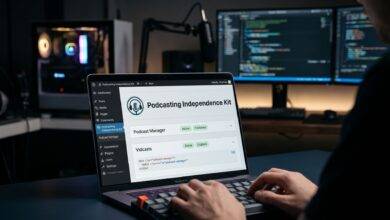
It’s easy to criticize software landlords, but what does a 100% owned, zero-SaaS workflow actually look like in high-volume podcast production?
After nearly two decades in podcasting and thousands of published episodes across GeekCast Radio Network, my production workstation (The Beast) runs on a stack designed for pure local efficiency, absolute data sovereignty, and zero monthly subscription bloat.
Here is the blueprint of a local-first, zero-SaaS audio infrastructure, including the parts I built myself and the parts that still run outside my own editor. This is Part 1 of the Take Back Control Series.
1. Recording Hardware & Local Signal Path
Cloud-based recording platforms have gained popularity, but they introduce compression, server dropouts, and subscription fees for basic multitrack exports. A true local pipeline starts right on your desk:
- Hardware Interfacing: Signals route through dedicated audio interfaces (such as a Focusrite Scarlett) or USB mics straight into local memory. There are no cloud-based DSP pre-amp subscriptions, remote license checks, or forced driver logins.
- Local Recording Software: Multi-track recording runs on standalone, local software, whether that is Reaper, Audacity, Ardour, or Altered Audio Editor, the free, open-source editor I built, which records too. My sessions write directly to NVMe storage in uncompressed 24-bit/48kHz WAV format.
- Zero-Latency Monitoring: Hardware-level direct monitoring ensures you hear exactly what hits the capsule without digital processing delay, independent of system load or internet connectivity.
- Remote Guests Without a Platform: Use a double-ender. Everyone records their own mic locally, the call tool is only for conversation, and Sync Tracks in the editor lines the files up afterward.
2. Post-Production & Offline AI Processing
One of the biggest traps in modern podcasting is paying monthly SaaS fees to process audio in the cloud. Uploading gigabytes of raw WAV files to third-party web apps is slow, expensive, and insecure. Modern local hardware lets you run post-production on your own machine.
LOCAL PROCESSING PIPELINE

[ Raw WAV Audio ]
       |
       +--> [ Local GPU ] --> (Open-Source Whisper) --> [ Plain Text Transcripts ]
       |
       v
[ Altered Audio Editor: denoise, voice chain, loudness, chapters ]
       |
       v
[ Mastered 192kbps MP3 + ID3 Tags ] --> [ Local Storage Archive ]- Local Cleaning & Separation: Open-source models run on your own hardware. DeepFilterNet is built into Altered Audio Editor as Speech Denoiser (High Quality). It reduces steady background noise, runs on the CPU, and ships inside the app with nothing to download. Ultimate Vocal Remover (UVR5) on an NVIDIA RTX GPU separates voices from music and backgrounds, and it runs outside the editor today. Mouth clicks are handled inside the editor by Click Repair and the QuickPass click scan.
- Local Offline Transcription: Instead of paying per minute to third-party cloud services, run OpenAI Whisper or Whisper.cpp locally via Python or C++. It runs on your own machine, costs nothing beyond electricity, and keeps unreleased interviews 100% private. Whisper also runs outside the editor today. Transcript tools inside the editor are planned for after 1.0.
- Metadata & Tagging: Local ID3v2 scripts write cover art, episode numbers, show titles, and licensing metadata directly into the MP3 headers before the file ever touches a server. The editor also has a File Tags dialog for MP3 tags.
3. Web Architecture & RSS Distribution
SaaS podcast hosts act as gatekeepers between your media files and your listeners, locking advanced analytics and feed management behind tier upgrades. An owned web architecture puts the feed back under your control.
- Static Object Storage vs. SaaS Hosting: Master audio files are hosted on flat-rate, high-performance object storage (like Backblaze B2, AWS S3, or self-hosted CDN endpoints). You pay purely for byte bandwidth, fractional pennies compared to bloated podcast host tiers.
- Owned RSS Architecture: Your RSS feed is served directly from your own domain (yourdomain.com/feed/podcast). If you ever switch storage providers, your subscribers never lose connection because you own the URI baseline.
- Native Metadata Handling: WordPress running custom, lightweight PHP code manages iTunes tags, Podcasting 2.0 namespace features (podcast:guid, podcast:transcript, podcast:person), and HTML show notes natively without third-party middleman plugins. Part 2 covers that plugin suite.
- Handoff From the Editor: The editor’s Publish Package export writes chapters (a Podcasting 2.0 file and WebVTT), soundbites, ad positions and show notes beside the finished mixdown. They are plain files for your own site or any host. The editor does not upload anything and makes no network calls except the ones you start.
The Result: Pure Operational Resilience
When your audio stack lives entirely on local hardware and self-hosted infrastructure:
- Outage Immunity: Internet outages cannot delay production or prevent editing.
- Infinite Scaling: Producing 1 episode or 100 episodes in a month costs the exact same in software overhead.
- Data Security: Proprietary interviews, unreleased media, and user analytics remain strictly under your control.
Where each piece stands today, so you know what is built and what you still run yourself:
| Piece | Where it stands |
|---|---|
| Recording, editing, mixing, voice chain | In Altered Audio Editor now |
| DeepFilterNet speech denoiser | Built, shipping in the next release |
| Chapters, soundbites, show notes export | Built in (Publish Package) |
| Local transcription (Whisper) | Outside the editor today, planned for after 1.0 |
| Music and vocal separation (UVR5) | Outside the editor today, possible optional download after 1.0 |
| Upload to a host | Not in the editor, you export files and publish them yourself |
Part 2 covers the WordPress side: the plugin suite that turns these files into a feed.